

AI Agents for Business: How Small and Medium-Sized Companies Can Use Them to Work Smarter
AI agents are becoming a practical option for businesses that want to reduce manual work, improve responsiveness, and support better decisions without adding unnecessary complexity. For small and medium-sized businesses, the appeal is straightforward: AI agents can help handle repetitive tasks, organize information, and assist teams in moving work forward more efficiently. Unlike broad AI concepts that can feel abstract, AI agents for business are built around specific actions. They can be designed to follow rules, process data, trigger workflows, and interact with internal systems or customer-facing processes. That makes them especially useful for companies that need better operational support but do not have large teams or unlimited resources.
What Are AI Agents for Business?
AI agents are software-based tools that can carry out tasks with a degree of autonomy. In a business setting, they are usually configured to perform actions based on inputs, business rules, and connected systems. They may help with tasks such as: - Sorting and routing incoming requests - Pulling information from different systems - Generating summaries or updates - Monitoring workflows for exceptions - Supporting employee or customer interactions - Recommending next steps based on available data The important distinction is that AI agents are not simply chat interfaces. In a business context, they are often part of a larger operational workflow. They work best when they are connected to real processes and when their responsibilities are clearly defined.
Why AI Agents Matter for Small and Medium-Sized Businesses
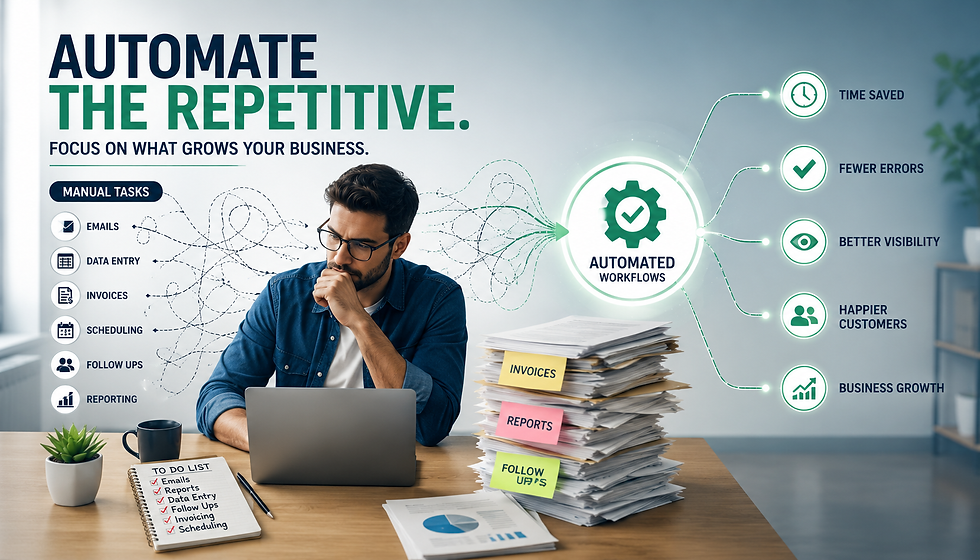
Many SMBs face the same operational challenges: - Teams spend too much time on repetitive administrative work - Information is scattered across tools and spreadsheets - Reporting takes longer than it should - Follow-up tasks get delayed or overlooked - Managers lack a clear view of what is happening across the business
AI agents can help reduce these friction points. Instead of replacing business teams, they can support them by taking on structured, repetitive work that slows everyone down.
Practical value for SMBs
For a smaller organization, even modest improvements can have a meaningful impact. For example: - A sales team may use an AI agent to organize lead information and prepare follow-up reminders - An operations team may use one to track workflow exceptions and alert the right person - A finance team may use one to assist with document routing or data checks - A service team may use one to respond to common questions or escalate issues appropriately. These use cases are not about novelty. They are about saving time, improving consistency, and making it easier for people to focus on higher-value work.
Common Use Cases for AI Agents in Business
AI agents can be applied in many areas of a company. The best use cases tend to be processes that are repeated often, follow predictable steps, and rely on information from multiple sources.
Customer support and service routing: AI agents can help classify incoming messages, identify topic categories, and route issues to the right team. They can also provide structured responses to common questions when appropriate. This can reduce delays and improve internal organization, especially when support requests arrive through multiple channels.
Sales process support: Sales teams often spend time updating records, searching for context, and preparing follow-ups. An AI agent can help organize lead data, flag incomplete records, or create task reminders based on activity. This does not replace relationship-building. It simply reduces the administrative load around it.
Operations monitoring: Operations teams benefit from visibility. AI agents can monitor key process steps, identify missing data, or notify staff when something requires attention. For example, if a workflow depends on a document approval, the agent can detect when the step has not been completed and prompt the appropriate action.
Reporting and data support: When connected to business intelligence dashboards or internal data sources, AI agents can help summarize trends, prepare recurring updates, or surface anomalies. This is especially useful for managers who need fast insight without manually compiling reports from multiple systems.
Internal knowledge support: AI agents can also help employees locate procedures, answers, or reference information more quickly. When internal knowledge is well organized, an agent can reduce time spent searching across documents and tools.
How AI Agents Work Alongside Business Intelligence and Automation
AI agents are most effective when they are part of a broader system that includes data integration, workflow automation, and reporting.
Business intelligence gives context
Dashboards and reporting tools help teams understand what is happening. They show performance trends, operational bottlenecks, and changes over time. AI agents can use this information to support action, not just observation.
Data integration connects the inputs
An AI agent is only as useful as the information it can access. Data integration helps bring together systems, so the agent has a complete picture. This may include CRM data, operational records, finance systems, or service platforms.
Process automation handles repeatable actions
Once a decision is made, automation can execute the next step. For example, after an AI agent identifies a missing field in a record, automation can send a notification or create a task. Together, these capabilities create a practical business environment where data is connected, work is organized, and actions happen with less manual effort.
What Makes an AI Agent Useful in Practice?
Not every AI tool will be helpful in a business setting. A useful AI agent should be designed around a clear process and defined outcome.
A good AI agent usually has:
A specific business purpose
Access to relevant data or systems
Clear rules for when to act and when to escalate
A measurable workflow to support
Human oversight where needed
A weak AI agent usually has:
No defined use case
Too much freedom without guardrails
Limited access to accurate data
No clear owner or process
No way to measure whether it is helping
This is why implementation planning matters. AI agents are not a generic fix. They are most effective when matched to a real business need.
Best Practices for Adopting AI Agents
If your business is considering AI agents, start with practical questions instead of broad ambitions.
Identify repetitive work first Look for tasks that consume time regularly and follow predictable patterns. These are often the easiest places to begin.
Map the process clearly Before implementing anything, document each step in the workflow. Understand where the data comes from, who is involved, and what decisions need to be made.
Define the agent’s role Be specific about what the AI agent should do. Should it sort, summarize, notify, recommend, or trigger an action? A narrow scope usually leads to better results.
Keep humans in the loop AI agents should support decision-making, not remove accountability. For many business processes, a human review step is important, especially when the stakes are high.
Connect to reliable data AI agents need accurate information. If systems are disconnected or data is inconsistent, the value of the agent will be limited.
Review performance regularly Track whether the agent is saving time, reducing errors, or improving consistency. If not, refine the process or adjust the scope.
Example: A Simple AI Agent Workflow for an SMB Consider a small service business that receives requests through email and a web form. A practical AI agent setup might work like this:
Incoming requests are captured from both channels
The AI agent classifies the request type
It checks whether key information is missing
If complete, it routes the request to the correct person
If incomplete, it sends a structured follow-up message
The manager receives a dashboard view of request volume and status
This type of workflow helps the business stay organized without requiring manual sorting of every message. The same idea can be adapted to sales, finance, HR, or operations, depending on the company’s needs.
Challenges to Consider Before Implementation
AI agents can be helpful, but they are not automatically effective. Businesses should be aware of common challenges:
Poor data quality can lead to unreliable outcomes
Unclear processes can make automation harder to manage
Overly broad use cases can create confusion
Lack of oversight can increase risk
Disconnected systems can limit the agent’s usefulness
The best way to avoid these issues is to start with one clear process, establish measurable expectations, and build from there.
Conclusion
AI agents for business are becoming a practical way for SMBs to reduce manual effort, improve workflow consistency, and support better use of data. When combined with business intelligence, data integration, and process automation, they can help teams work more efficiently and make informed decisions faster. The key is to focus on real business processes rather than abstract technology. Start with a clear use case, connect the right systems, and keep the scope manageable. If your business is exploring AI agents and wants a practical approach tied to dashboards, integration, and automation, DataLoopBI can help you think through the right foundation for your operations.


Comments